Playing someone who also has Straight Pool Deluxe?
Add them as a Straight Pool Deluxe opponent, not as a local player, and every game between you shows up on both iPads.
There are two ways to put someone in your Players list, and they work very differently.
Local player
For opponents who don’t have the app
Typed in by hand with the plain + button, or by typing a name into a game.
- Lives on your iPad only.
- Your opponent never sees the games, and they don’t count in their stats.
- No badge next to the name.
- The right choice for anyone who doesn’t have Straight Pool Deluxe.
Straight Pool Deluxe opponent
For opponents who also have Straight Pool Deluxe
Added with the blue + SPD button.
- Every game between you shows up on both iPads, whoever scored it.
- Counts in both players’ stats and history.
- Has an SPD badge next to the name.
- The right choice for anyone who also has Straight Pool Deluxe.
If the person you play also has Straight Pool Deluxe, add them with + SPD so the games between you sync to both iPads. Here’s how, step by step.
Rule of thumb: before you add a new player, ask them, “Do you have Straight Pool Deluxe?” If they do, ask for their username or the email they registered with, and use + SPD.
How do I know who’s connected?
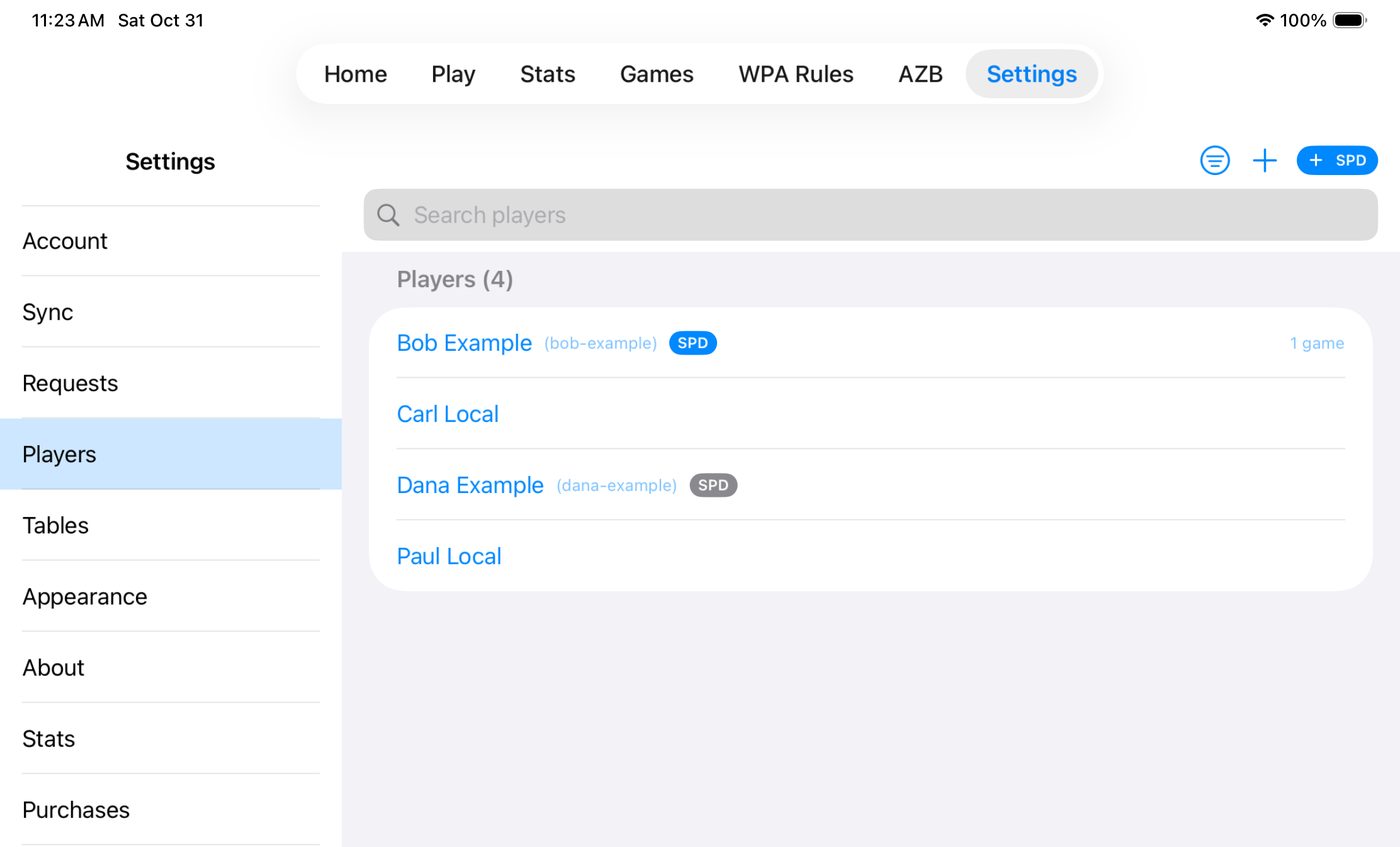
Open Settings → Players and look at the badge next to each name:
- SPD Blue: a connected opponent. Your games together sync to both iPads.
- SPD Gray: a Straight Pool Deluxe user who hasn’t accepted your request yet.
- No badge: a local player, typed in by hand. Their games stay on your iPad.
What you get once you’re connected
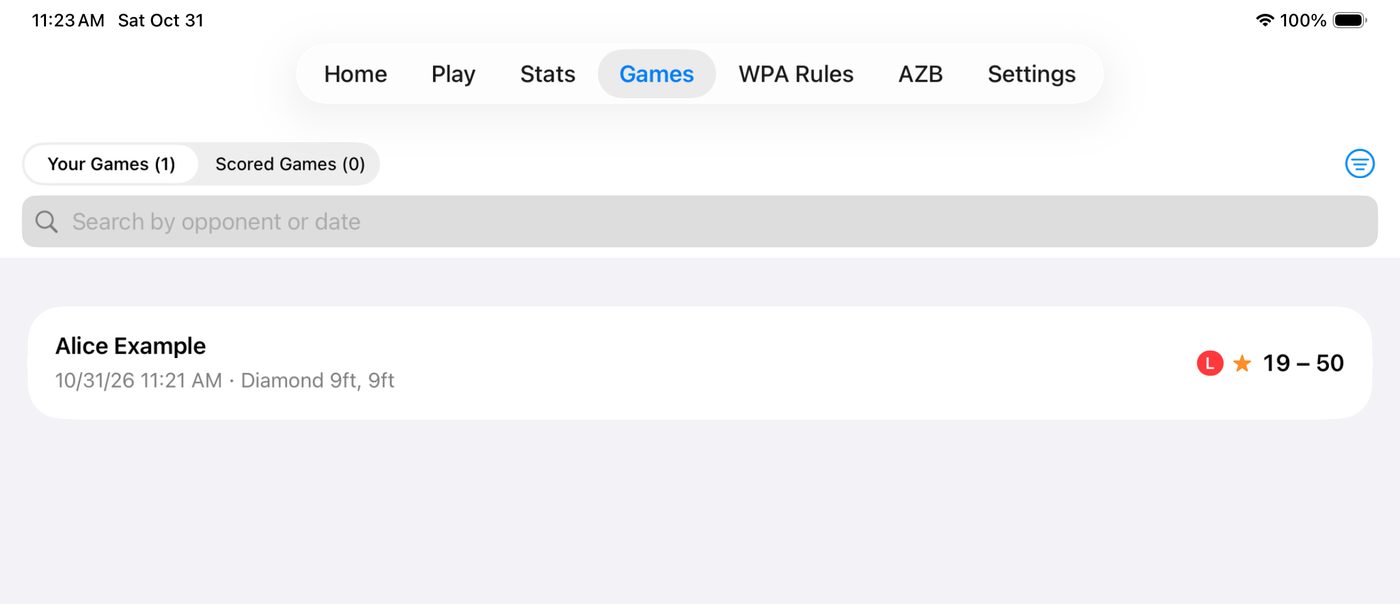
Score a game against a connected opponent and it appears in their Games list too. They don’t have to do anything.
Already typed them in?
No problem, nothing is lost. Here’s what to do with the local player and your old games.